What Google’s 96.6% figure covers
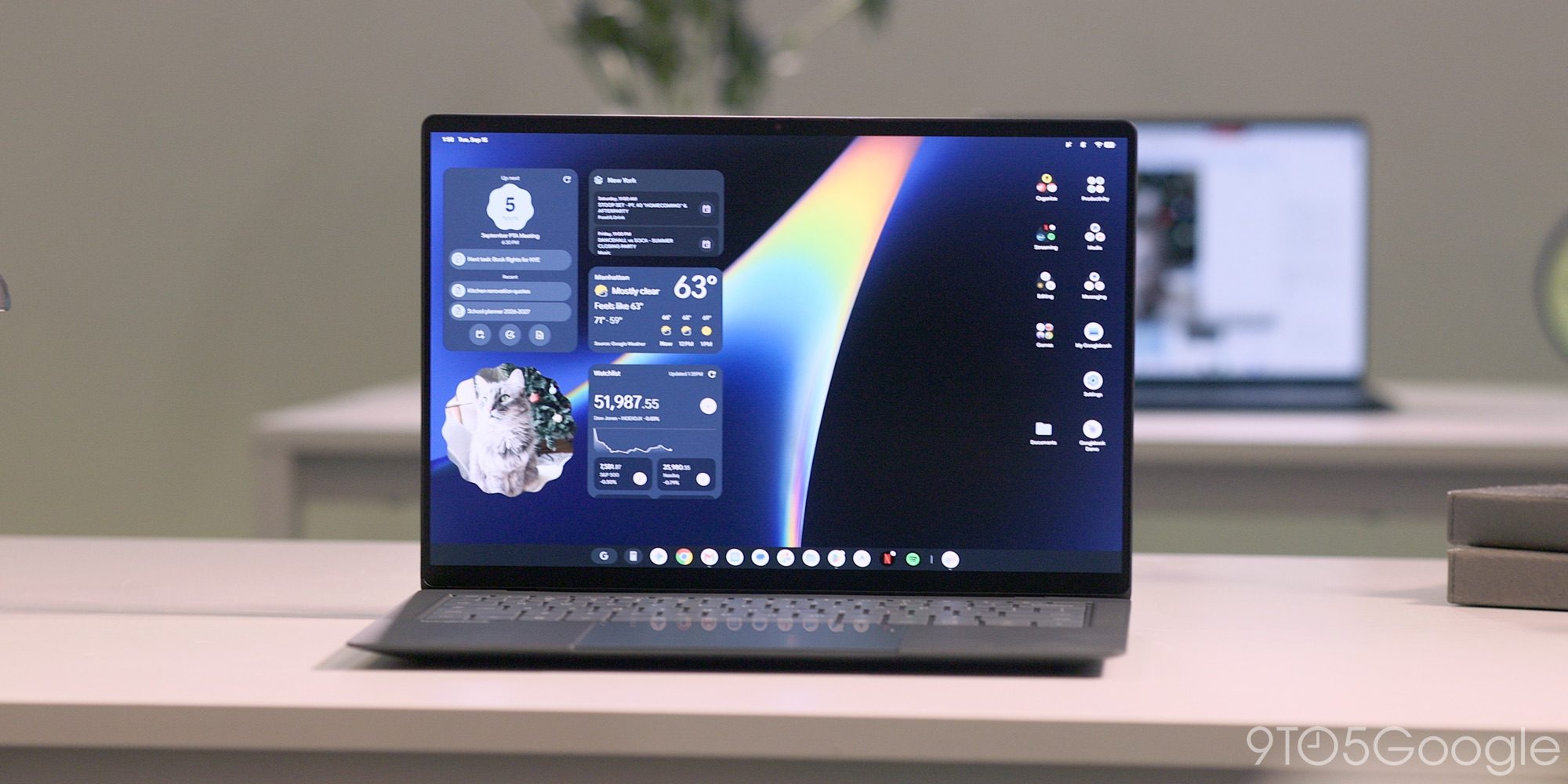
Google says 96.6% of its group of more than 10,000 most-used Play Store apps work “flawlessly” on Intel Googlebooks. It separately says the vast majority of Android apps run smoothly on both Intel and Qualcomm models.
That percentage applies only to Google’s selected high-usage group. It is not a compatibility rate for the whole Play Store. Google markets Googlebooks as offering millions of apps, but it has not disclosed what share of that wider catalog is available or performs well.
Put another way, 3.4%—roughly 1 in 30 apps in the selected group—falls outside Google’s flawless-on-Intel category. The percentage cannot be turned into an exact app count because Google says only that the group contains more than 10,000 apps.
Google also says it removed roughly 300 apps from that group on Intel Googlebooks, mainly because they do not work properly on large screens or rely on phone hardware such as a gyroscope.
The two figures do not mean the same thing. The 3.4% covers everything outside the “flawless” category. The roughly 300 figure refers only to apps Google says it made unavailable.
Google has not published the full list or explained what “most-used” means—whether it is based on installations, active users, time spent or something else. It also has not said how many available Intel apps might still have performance problems.
Some prominent games are blocked on both chip types
Independent reporting found a more concrete limit than Google’s percentage shows.
Call of Duty: Mobile, PUBG Mobile, Fortnite, Farlight 84 and Delta Force reportedly either refused installation or blocked play on Googlebooks. The problems appeared on both Intel and Snapdragon models, including messages that treated the laptops as unauthorized emulators.
That matters because Snapdragon is not an automatic fix. Intel buyers face a separate question about translated app performance, but both processor types can encounter Play Store restrictions, large-screen problems or game systems that reject Googlebook OS.
This does not mean every Android game fails. Bloodstrike reportedly ran smoothly at high graphics settings on both processor types when the game accepted the platform. The picture is mixed: the hardware can run at least some demanding games, while developers, store settings and game-access systems can still block others.
There is no broad, title-by-title test comparing demanding Android games across Intel and Snapdragon Googlebooks. If you care about a particular game, the 96.6% figure alone cannot tell you whether it will work.
Why Intel models translate some app code
Many Android apps were designed for Arm chips. Intel processors use different instructions, so Google says Intel Googlebooks use a code-translation system for 64-bit Arm apps.
Think of it as an interpreter translating an app’s instructions into language the Intel processor can follow while the app is running.
Google says the system aims to provide performance close to native—meaning close to an app built directly for that processor. The company also acknowledges that some demanding apps and games may need extra work from developers to perform at their best on Intel models.
Broad independent testing has not measured the translation cost across real apps. Google has not named the Intel apps that may have performance problems or said how many available apps might run poorly instead of being removed.
Intel and Snapdragon have different benchmark strengths
The available benchmark tests—standardized workloads used to compare computers—do not produce one winner for every task.
In Tom’s Guide’s Geekbench 6 testing, the Snapdragon-powered Dell and HP Googlebooks scored roughly 50% higher than the Intel-powered Acer, Asus and Lenovo models in multi-core performance, which tests work spread across several processor cores. Their single-core results were similar.
Snapdragon models also scored higher in the 3DMark Wild Life Extreme graphics test. Even the best-performing Dell model, however, did not reach 60 frames per second in that benchmark.
CrossMark produced a more mixed result. Intel Googlebooks scored higher for productivity and responsiveness, while Snapdragon machines did better on creativity. Their overall scores were similar.
These tests compare broader hardware performance under specific workloads. They do not show how much Intel’s Android code translation helps or hurts individual apps.
Key phone features require Android 17
Several Googlebook phone connections depend on the operating system installed on the phone.
Phone app streaming, task continuity and shared file access require Android 17. Google’s help page says opening phone files through the Googlebook Files app requires a compatible phone running Android 17 or later.
Android’s developer documentation also links Continue On to Android 17 or later. The feature can place an icon for an activity running on a nearby phone on the Googlebook taskbar. Reporting reviewed for this story says these connected tools do not appear when the phone uses an earlier Android version.
Some recent Google Pixel phones and Samsung foldables with One UI 9 ship with Android 17. POCO’s F9 series launched with Android 16, so it cannot use the cross-device toolkit at launch.
There is no numeric Android 17 adoption rate or complete schedule here showing when different phone makers will update eligible models. The requirement applies to these connected-phone tools, not to using a Googlebook generally.
Battery results depend on the test
Google claims around 14 hours of battery life under a test using about 100 nits of screen brightness, Dark theme and Battery Saver.
Tom’s Guide used a more demanding web-browsing test at 150 nits. The Asus Googlebook 14 lasted about 6.5 hours, while the HP Googlebook 14 approached 12 hours. None of the five models reached the advertised 14–16 hours under that test.
The methods differ, so the figures do not directly contradict each other. Tom’s Guide’s measurements do not disprove Google’s result under Google’s stated conditions. They show that buyers may get substantially less battery life during a more demanding browsing workload.
Google promises Googlebook OS feature drops and updates for up to 10 years.
What buyers should check
If phone integration matters to you, check whether your phone already runs Android 17 and supports the feature you want.
If one app or game is central to your purchase, check that title directly. Intel models add an unmeasured translation question for some Arm-based apps, but several prominent games have also reportedly been blocked on Snapdragon Googlebooks. Choosing a processor does not remove every compatibility risk.
The available information also does not establish how Googlebooks compare with Windows or macOS for major desktop software used in professional creative, office, audio or engineering work. That remains an open question—not a confirmed strength or weakness.
How this was reported
- Strongest primary sources: Android’s cross-device continuity documentation, Google’s launch hardware announcement and the Googlebook phone-file help page
- Important independent sources: 9to5Google, Heise, The Verge, Techaeris and Tom’s Guide
- Major unresolved facts: Google’s complete compatibility list, the method behind its “top 10k+” group, store-wide compatibility, broad measurements of Intel translation performance, and numeric Android 17 adoption and rollout schedules
- Corrections and contact: Contact the BulletNews editorial desk to report an error